

How syncing works
After you connect and bind an integration:- Initial history load. Email sources import history newest-first in 30-day batches (about a year by default), so the freshest material is searchable almost immediately while older history fills in behind it. Calendars sync a rolling window around today. Procore imports from a configured start date. File sources import everything in the bound folder.
- Ongoing sync. Connections re-sync automatically about every 15 minutes. Sources that can notify Brink of changes (Gmail, Outlook, Microsoft Teams, Box, AI Employee Inbox) sync near-real-time — a notification from the provider prompts an immediate sync.
- Manual sync. Every account card has a Sync now button, and each binding has its own Sync button on the Projects page.
Status indicators
Each integration card and account card shows a freshness line:
Connection health states:
- Connected — everything is working.
- Needs attention — the connection’s access has expired. Brink stops syncing this connection until someone clicks Reconnect — reconnecting is the only way to restore access.
- Connection error — the last sync failed; the error is shown on the account card.
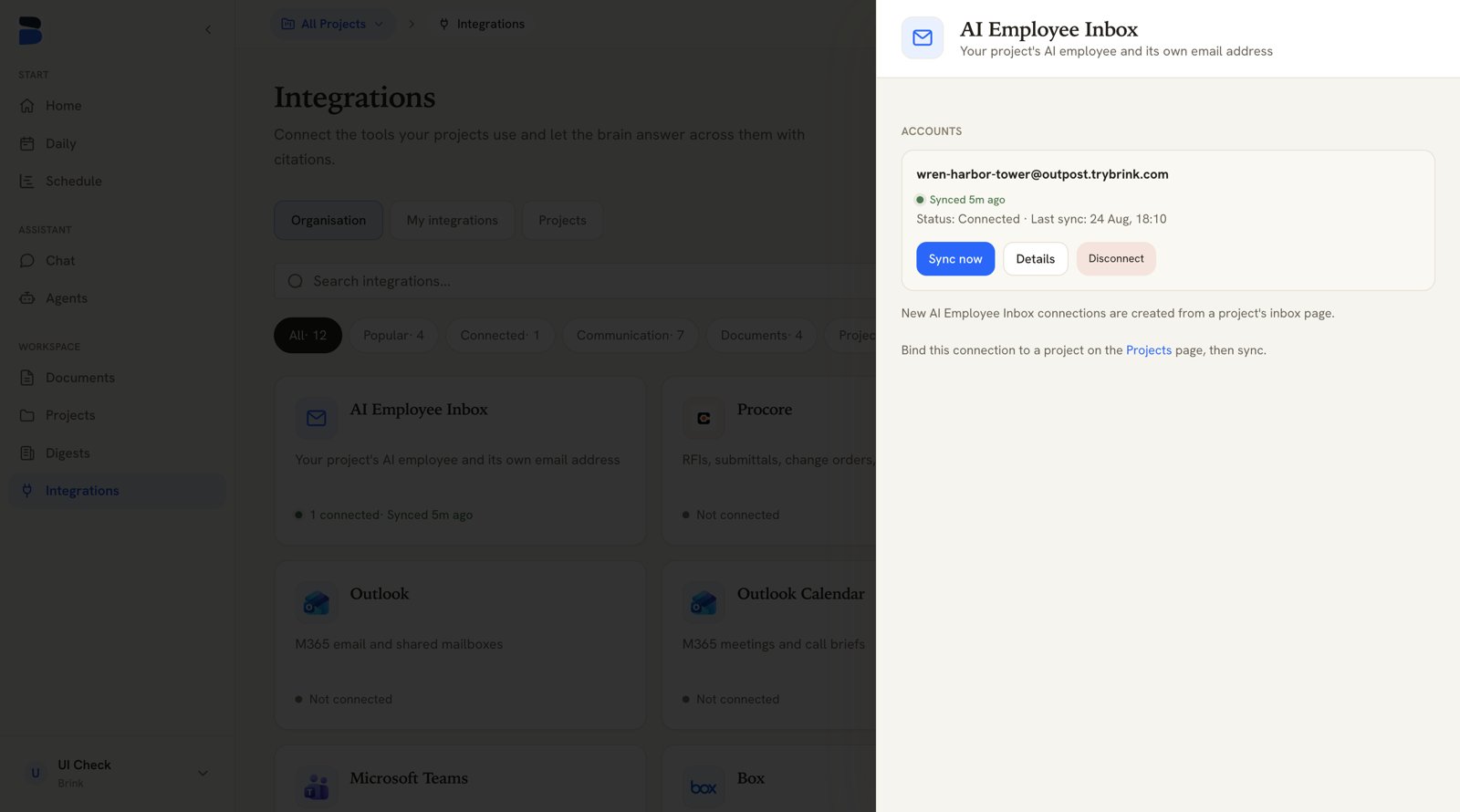
An account card in a connection drawer — freshness line, Sync now, Details, Disconnect
Inspecting a connection
Click any integration card to open its drawer, then Details on an account. The detail view is laid out top to bottom as:- Account — the external account name, its status, and the last sync time
- Scope bindings — which projects this account feeds
- Available resources — browse what can be bound (folder connectors also get a Bind folders button here)
- This connection — what’s happening right now (running / queued / idle)
- Recent syncs — completed syncs, with how many records came in
- Document & memory pipeline — how synced files are progressing through parsing and indexing
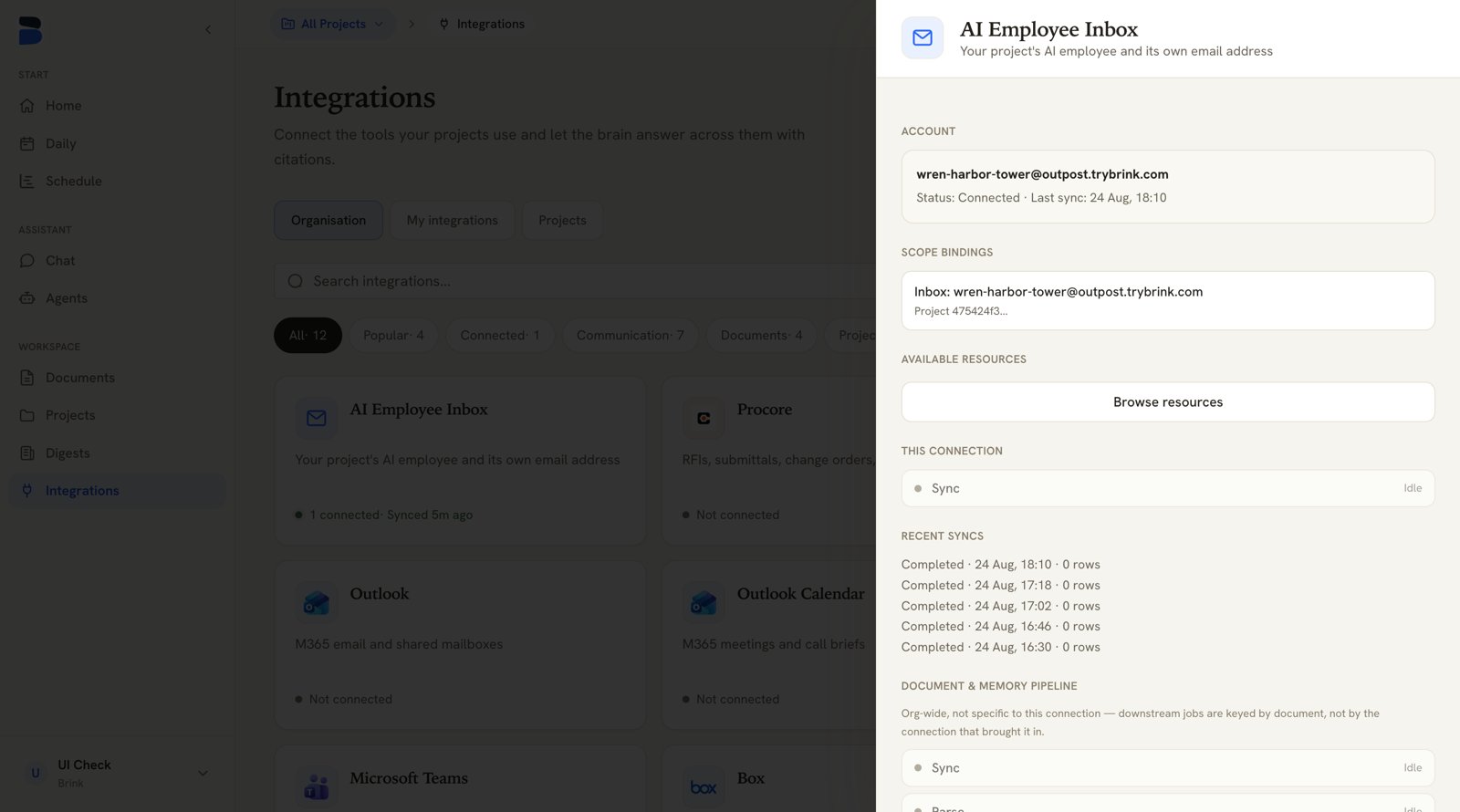
Connection details — bindings, live activity, and recent syncs
Disconnecting
Disconnect (on the account card, with a confirmation) fully severs the link: Brink revokes its access with the provider wherever the provider supports it, and deletes the stored credentials either way.Microsoft offers no way for Brink to revoke its own access to Outlook, Outlook
Calendar, Microsoft Teams, and OneDrive & SharePoint. Brink deletes its stored
credentials, but you may also want to remove the Brink app under your
Microsoft account’s app permissions — or have a Microsoft 365 administrator
remove it in Entra ID.
Who can do what
Brink enforces this in both the interface and the API, so a member never sees management controls they can’t use.
Members see two views on the Integrations page: My integrations (the default) and the Projects view, which lists each project’s bindings — logo, resource name and type, and which account feeds it — with no unbind or add-binding controls.
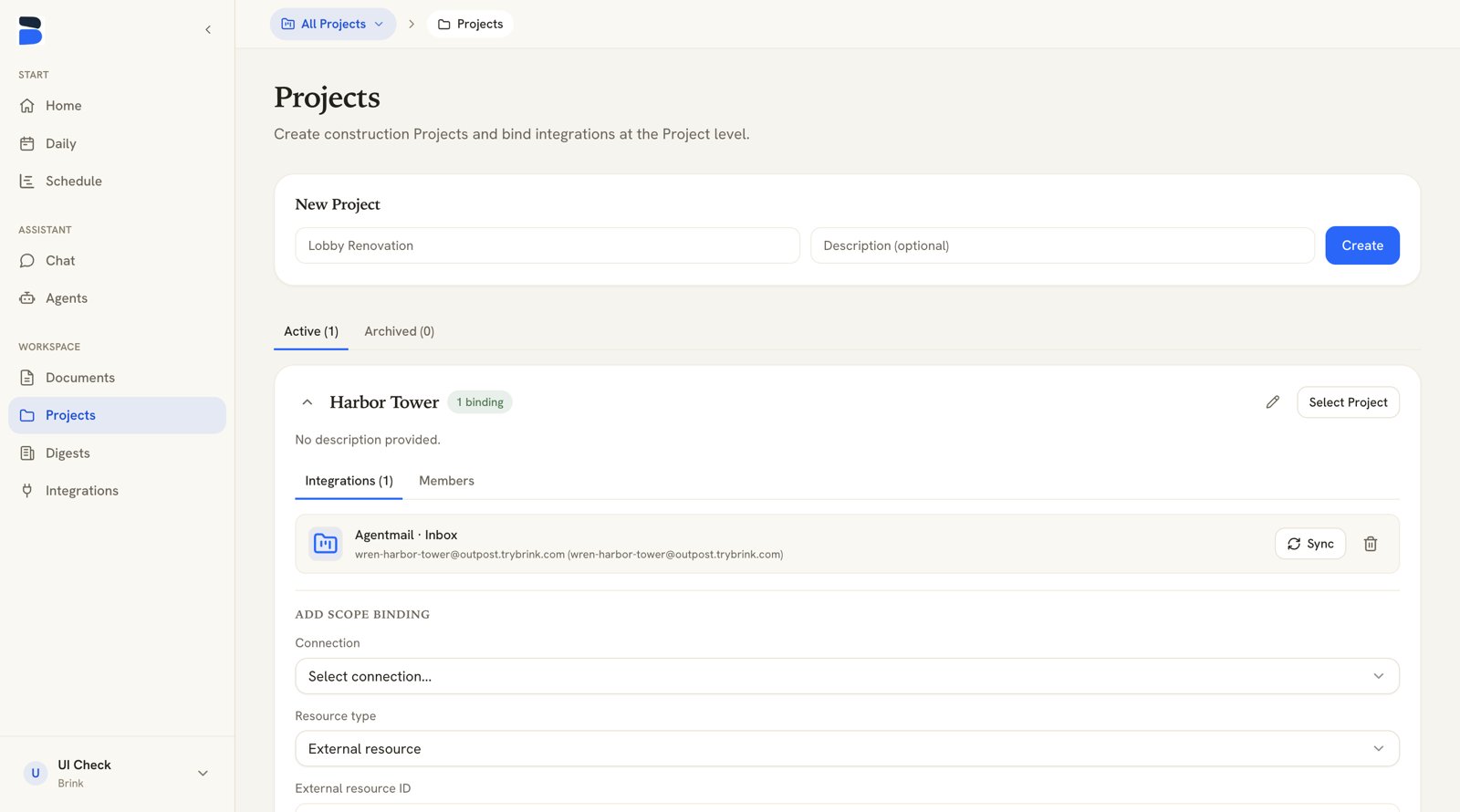
A project's Integrations tab — existing bindings and the Add scope binding form